
The 2026 Website Accessibility Checklist: Seeing Beyond Compliance
What if your digital presence is currently a wall when it should be a bridge? When Roselle and I descended 78 flights of stairs in the North Tower on September 11, 2001, we relied on a foundation of trust and meticulous preparation. You might feel that same need for a reliable path as you face the 2026 standards, fearing that a website accessibility checklist will clutter your design or invite legal trouble. It’s a common concern. The 2024 WebAIM Million report highlighted that 95.9% of home pages still fail basic accessibility tests, leaving many leaders feeling lost in a technical fog. You know that inclusion is the right path, but you need a map that makes sense.
I’m here to show you that accessibility isn’t a burden; it’s a way to sharpen your vision for what your brand can achieve. This guide transforms complex requirements into a clear, expert-led framework that builds an Unstoppable Mindset within your organization. We’ll explore how to move beyond mere compliance to create a superior experience for every visitor, ensuring your 2026 strategy is both legally sound and deeply impactful.
Key Takeaways
- Shift your perspective from legal compliance to a culture of inclusion, viewing digital accessibility as a fundamental leadership responsibility for 2026.
- Master our comprehensive website accessibility checklist by translating technical WCAG 2.2 standards into actionable, human-centered principles.
- Identify high-impact “low-hanging fruit” within your site’s structure to bridge the gap between your content and every potential visitor.
- Understand the critical role of manual testing and assistive technology in catching the barriers that automated tools frequently overlook.
- Build an “Unstoppable Mindset” within your team that replaces the fear of lawsuits with a genuine pride in digital diversity and trust.
Seeing Beyond the Screen: Why Digital Accessibility is a Leadership Priority
Imagine standing before a grand entrance only to find the stairs are the only way in. For millions, a poorly designed site feels exactly like that. Web accessibility is the digital equivalent of a physical ramp. It’s a fundamental bridge that connects your vision to your audience. True leadership means looking past the code to see the human being on the other side of the glass. By 2026, the global digital standard will move decisively from a “compliance-first” model to an “inclusion-first” philosophy. This shift isn’t just about avoiding legal trouble; it’s about embracing a mindset where we value every visitor equally. It’s about recognizing that disability is not a limitation of the person, but a limitation of the environment we’ve built.
Adopting an Unstoppable Mindset means choosing preparation over panic. When you treat accessibility as an afterthought, you’re constantly reacting to barriers. When you build it into your foundation, you create a seamless experience for everyone. This fosters a deep sense of interdependence between a company and its customers. You provide the tools, and they provide the engagement. It’s a partnership built on the belief that no one should be left behind in the dark. Leadership isn’t just about directing others; it’s about ensuring the path is wide enough for everyone to walk together.
The Business Case for an Accessible Web
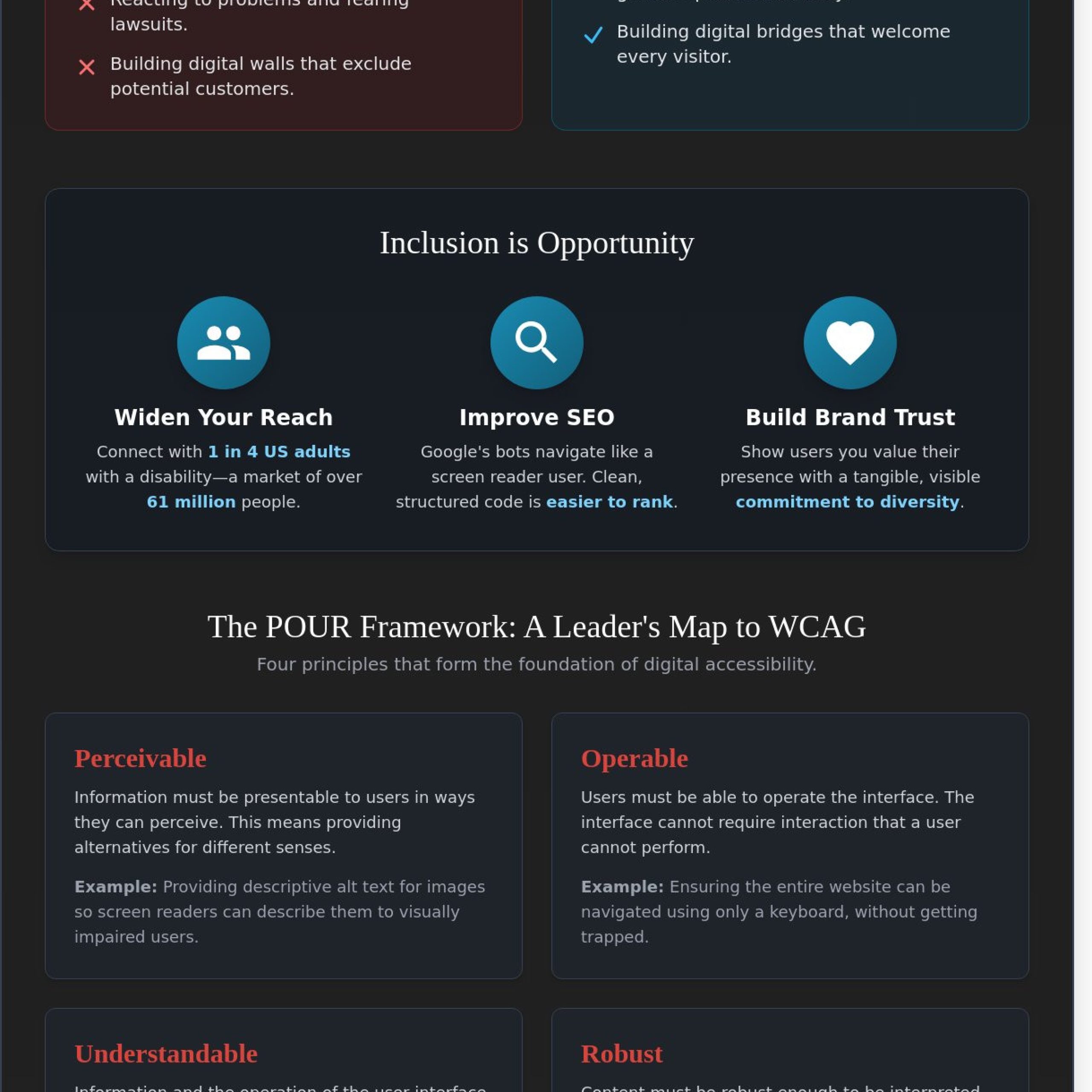
The numbers tell a clear story of missed opportunity. According to the CDC, 26 percent of adults in the United States live with a disability. That’s 1 in 4 people who might struggle to read your blog or buy your products if your website accessibility checklist is incomplete. Beyond the human element, the SEO benefits are undeniable. Google’s search bots function much like a blind user; they rely on well-structured content, clear headings, and descriptive tags to understand what a page is about. When you make your site accessible, you’re essentially making it easier for the entire world to find you. You’re building brand trust through a visible, tangible commitment to diversity.
- Reach: Tap into a market of 61 million Americans with disabilities.
- SEO: Improve rankings through clean code and semantic HTML structures.
- Trust: Foster loyalty by showing users you value their presence on your site.
A Lesson from Tower One: Why Trust Matters Online
On September 11, 2001, I stood on the 78th floor of the North Tower. As the building swayed, my guide dog, Roselle, remained calm. We descended 1,463 steps together. That journey was possible because of two things: trust and pre-planning. We didn’t wait for the crisis to learn the exits. Digital architecture requires that same level of foresight. Your website is a path. If the path is cluttered with unlabeled buttons or flickering images, you’re breaking the trust of your users. Clear digital signage, known as metadata, is essential for someone like me who uses a screen reader. It’s the difference between navigating with confidence and being lost in a digital wilderness. Using a website accessibility checklist ensures that every “digital stairwell” in your site is clear, labeled, and safe for everyone to use. We don’t need sight to have vision; we just need the right tools to move forward together.
The POUR Framework: A Leader’s Guide to WCAG Standards
Leadership requires a vision that extends far beyond what the eyes can see. When my guide dog, Roselle, led me down 78 floors of the North Tower on September 11, 2001, our success depended on a foundation of trust and a shared understanding of our environment. Your digital presence requires that same level of reliable structure. The Web Content Accessibility Guidelines (WCAG) 2.2, released on October 5, 2023, provide the map for this journey. These standards aren’t just technical hurdles; they’re the bridge that connects your message to every human being, regardless of how they perceive the world. By following a website accessibility checklist, you aren’t just fixing code; you’re honoring the interdependence of your community.
On October 5, 2023, the World Wide Web Consortium added nine new success criteria to the existing standards, bringing the total to 86 requirements across three levels of compliance. Level A represents the most basic features, while Level AA is the standard most organizations strive to meet to satisfy legal and social expectations. Level AAA is the highest tier, designed for specialized environments. The U.S. Department of Justice clarified these expectations in its Guidance on Web Accessibility and the ADA, emphasizing that digital accessibility is a civil right. Meeting these standards ensures your site is seeing beyond the blindness of the code to recognize the person on the other side of the screen.
The POUR framework organizes these 86 criteria into four core principles. It transforms complex jargon into a leadership philosophy. It asks us to consider if our digital “building” is open to everyone or if we’ve left the doors locked for 25 percent of the population who live with a disability. This framework is the cornerstone of any professional website accessibility checklist, ensuring that technology serves humanity rather than creating new barriers.
Perceivable and Operable: Can They See and Move?
Perceivability is about sensory diversity. It requires providing text alternatives for non-text content, such as descriptive ALT text for images. If a screen reader cannot describe a photo, that information simply doesn’t exist for a blind user. Operability means removing mouse-dependency. Since 90 percent of screen reader users rely on keyboard navigation, every button and link must be reachable via the “Tab” key. This “No Limits” approach ensures that your interface responds to the user’s needs, not the other way around.
Understandable and Robust: Does It Make Sense?
Understandability focuses on predictability. If your navigation menu changes its order on every page, you break the user’s trust. Content must be readable, with clear instructions that don’t rely on visual cues like “click the red circle.” Robustness is your commitment to the future. It ensures your code is clean enough to work with current and future assistive technologies, like JAWS or NVDA screen readers. Robust design is the ultimate form of future-proofing, ensuring your platform remains inclusive as technology evolves. You can learn more about building an Unstoppable Mindset through inclusive leadership and adaptive strategies.
True inclusion happens when we stop viewing accessibility as a burden and start seeing it as an opportunity for innovation. When you build a site that is Perceivable, Operable, Understandable, and Robust, you’re not just avoiding a lawsuit. You’re building a culture of trust. You’re telling every visitor that they matter. This commitment to excellence is what separates a mere manager from a visionary leader. It’s about moving forward together, ensuring that no one is left behind in the dark.
Your Essential Website Accessibility Checklist: Structure & Content
Building an inclusive digital culture starts with a choice to lead with empathy. Every item on this website accessibility checklist represents a step toward a world where information is a birthright, not a privilege. When my guide dog, Roselle, and I stood on the 78th floor of the North Tower on September 11, 2001, our survival depended on clear communication and mutual trust. Your website should offer that same level of reliability to every visitor. We focus on high-impact changes because the 2023 WebAIM Million report found that 96.8% of home pages had detectable failures. You can change that statistic today by adopting an Unstoppable Mindset regarding your content.
Consistency is the heartbeat of a usable site. Developers and designers must ensure that navigation menus, search bars, and footers remain in the same location on every single page. This predictability allows users who rely on screen readers or keyboard navigation to build a mental map of your space. It’s about creating a sense of safety and belonging. When a visitor knows exactly where to find your contact information or your services, you’ve successfully removed a barrier to their success.
Visuals and Structure: The Foundation of Inclusion
Descriptive ALT text is your primary tool for translating visual experiences into meaningful narratives. You shouldn’t just label an image; you must provide context that explains why that image is relevant to the story you’re telling. For instance, instead of writing “Michael and Roselle,” use “Michael Hingson smiling while standing next to his yellow Labrador guide dog, Roselle, symbolizing a partnership of trust.” This level of detail ensures that those of us who see with our hearts and minds don’t miss the essence of your brand.
Logical heading hierarchy acts as a roadmap for the 61 million adults in the United States living with a disability. You must use H1 through H6 tags in a sequential order to help screen readers announce the relationship between different sections of your content. Skipping levels confuses the journey. To ensure your text is readable for everyone, you must maintain a color contrast ratio of at least 4.5:1 for standard text. This technical requirement, detailed in the Web Content Accessibility Guidelines (WCAG) 2.1, ensures that your message shines brightly for users with low vision or color blindness.
Forms, Media, and Links
Forms are often the bridge to a new partnership, yet they’re frequently the most broken part of a site. You must ensure every input field has a clear, programmatic label so a screen reader can tell the user exactly what information is required. Don’t rely on placeholder text that disappears when someone starts typing. This small fix provides the clarity needed for a seamless interaction. It’s a simple way to demonstrate that you value the user’s time and effort.
Your links should always tell a story about where they lead. Avoid using “click here” or “read more,” as these phrases provide zero context when read out of order by assistive technology. Instead, use descriptive text like “View our website accessibility checklist for developers” to provide a clear destination. For multimedia, captions and audio descriptions are non-negotiable. They transform a visual medium into a multi-sensory experience, ensuring that your videos and podcasts are accessible to everyone, regardless of how they consume information. This commitment to accessibility is the ultimate expression of leadership and interdependence.
Beyond the Checklist: Testing with Assistive Technology
A map shows you the path, but it doesn’t tell you where the ice is hidden or where the pavement crumbles. Your website accessibility checklist serves as that essential map. However, relying solely on automated tools is like trying to navigate a crowded city with only a compass and no eyes or ears. Industry data from 2023 indicates that automated testing tools typically identify only 30% to 40% of accessibility issues. This leaves a staggering 60% of potential barriers completely invisible to your software. True inclusion isn’t about satisfying an algorithm; it’s about building a bridge of trust between your brand and every person who visits your site.
Introducing JAWS, or Job Access With Speech, provides your team with the industry standard for screen reading technology. It’s the same tool I use to navigate the digital world, and it provides the speech output that allows blind users to process information at incredible speeds. When we move from checking boxes to validating experiences, we acknowledge that a site might be technically compliant but practically unusable. By testing with JAWS, you ensure that the rhythmic flow of your content reaches the user exactly as intended, without the jarring interruptions of poorly coded elements that a scanner might overlook.
The Role of Screen Reader Training
Observing a blind user interact with your interface is a profound experience for any developer. It reveals keyboard traps where the focus gets stuck in a loop, a frustration that 20% of users with disabilities report encountering frequently. JAWS training services empower your internal QA teams to think like an end user. This training transforms your staff into advocates who understand that accessibility is a hallmark of high-level leadership. It teaches them to identify subtle errors in navigation that prevent a user from completing a purchase or reading a vital update, moving beyond the surface level of a website accessibility checklist.
Establishing a Continuous Audit Cycle
Maintaining an inclusive site requires a commitment to a continuous audit cycle. Accessibility is a journey of constant refinement, much like the ongoing training I practiced with my guide dog, Roselle. You should establish quarterly reviews to ensure that as your content grows, your compliance doesn’t slip. In a 2024 analysis of web trends, sites that integrated accessibility into their standard DevOps workflow saw a 25% faster resolution of user-reported bugs. This integration makes inclusion a natural part of your business rhythm. It ensures your digital doors remain open to everyone, regardless of how they perceive the world, by treating accessibility as a living strategy rather than a one-time project.
If you’re ready to move beyond compliance and foster a culture of true inclusion, learn more about our Unstoppable Mindset coaching and accessibility advocacy.
Building an Unstoppable Digital Culture with Michael Hingson
Leadership often views a website accessibility checklist as a defensive shield against litigation. It’s a common posture. In 2022, plaintiffs filed 2,383 website accessibility lawsuits in federal court, which marked a 12 percent increase from the previous year. While these numbers are sobering, true leadership looks far beyond the legal risk. It’s about shifting your organization’s heart from the fear of a lawsuit to the pride of genuine inclusion. When you prioritize accessibility, you aren’t just fixing broken code. You’re building a bridge of trust with a community that’s too often ignored.
I learned the true depth of trust on September 11, 2001. As my guide dog, Roselle, led me down 1,463 stairs in the North Tower, our bond wasn’t built on a set of rules or compliance standards. It was built on a shared vision of what we could achieve through interdependence. Your digital presence should reflect that same spirit. When a website is inaccessible, it’s as if you’ve locked the front door to 25 percent of the adult population in the United States. According to the CDC, 61 million adults live with a disability. Ignoring this demographic isn’t just a technical debt; it’s a failure of leadership and a missed opportunity to connect with a loyal, resilient audience.
Positioning accessibility as a core brand value transforms it from a chore into a competitive advantage. It’s a declaration that your brand values every individual’s journey. You don’t want your team to view accessibility as a burden that slows down development. Instead, empower them to see it as a creative challenge that improves the experience for everyone. A site that’s easy for a screen reader to navigate is also easier for search engines to index and for tired parents or elderly users to use. Inclusion is simply good business.
Strategic Consulting for Disability Awareness
The Michael Hingson Group assists organizations in moving beyond the technicalities of web code to achieve a true cultural transformation. We help you develop Diversity and Inclusion (D&I) strategies that treat disability as a characteristic rather than a limitation. My “Seeing Beyond the Blindness” keynote serves as a catalyst for this change, challenging your team to rethink their perceived boundaries. We don’t just talk about compliance; we talk about the Unstoppable Mindset required to lead with empathy and clarity.
Next Steps: Booking a Consultation or Training
Starting your journey requires more than just a website accessibility checklist; it requires expert guidance and the right tools. My team provides professional audits and specialized JAWS training to ensure your staff can navigate the digital world with confidence. Whether you need a keynote speaker to inspire your leadership or a hands-on consultant to refine your digital strategy, we’re here to help. It’s time to move toward a future where everyone can participate fully. Schedule your accessibility consultation with Michael Hingson today and begin building your unstoppable digital presence.
Cultivate Your Unstoppable Digital Vision
True digital inclusion starts when leaders move beyond checking boxes. By 2026, navigating the digital landscape requires a deep commitment to the 4 principles of the POUR framework. Implementing a comprehensive website accessibility checklist is your first step toward building a culture where no user is left behind. It’s not just about meeting a technical standard; it’s about fostering interdependence and trust across your entire organization.
Michael Hingson, who successfully navigated 78 flights of stairs during the September 11, 2001 attacks with his guide dog Roselle, understands that preparation is the foundation of resilience. He brings 40 years of experience using JAWS screen reading software to help your team see beyond the screen. Global corporations trust his specialized training to bridge the gap between technical code and the lived human experience. You don’t have to navigate these complex requirements alone.
Empower your team with Accessibility Consulting from Michael Hingson
The journey toward a fully accessible world is a shared mission. With the right mindset and a dedicated partner, your organization can lead the way toward a future where every person can participate with dignity and ease.
Frequently Asked Questions
What is the most common website accessibility mistake?
The most common failure is low color contrast between text and background. In the 2023 WebAIM Million study, 83.9% of the top one million homepages failed this specific WCAG criterion. It’s a barrier that keeps people from seeing your message clearly. You can fix this by ensuring a 4.5:1 ratio for standard text. True leadership means making sure everyone can read your words without struggling.
Do I really need to provide ALT text for every single image?
You don’t need descriptive ALT text for every single image, but you must account for all of them. Decorative images like simple lines or flourishes should have empty alt tags so screen readers skip them. For meaningful photos, such as a picture of my guide dog Roselle, you need a clear description. This allows a blind person to build a mental picture of the scene. It’s about creating a shared experience through words.
Is automated accessibility software (overlays) enough for ADA compliance?
Automated overlays are not enough to achieve true ADA compliance. While they claim to fix issues instantly, over 400 lawsuits in 2023 targeted sites using these tools. They often interfere with the way I use my screen reader. Real accessibility requires human intervention and a commitment to building a site that works for everyone. You can’t automate trust or deep inclusion; it takes intentional effort and an unstoppable mindset.
How much does a professional website accessibility audit cost?
A professional audit typically costs between $2,500 and $15,000 depending on the size of your site. This investment covers manual testing by experts who use screen readers to find barriers a website accessibility checklist might miss. Smaller sites with 10 pages might stay on the lower end. Larger enterprise platforms with 100 pages or more will see higher costs. It’s a price for peace of mind and true digital inclusion.
What is the difference between WCAG 2.1 and 2.2?
The main difference is that WCAG 2.2, released on October 5, 2023, adds nine new success criteria to the previous 2.1 standard. These new rules focus on improving navigation for people with cognitive disabilities and those using mobile devices. For example, it requires larger touch targets so buttons are easier to hit. Staying current with these updates shows your brand’s resilience. It ensures your digital doors remain open to the 61 million adults in the US living with a disability.
Can a blind person really navigate any website with a screen reader?
A blind person can only navigate a website if the underlying code follows a proper website accessibility checklist. When a site is built with care, I can move through it as easily as I moved down the stairs of the North Tower. If the site lacks headings or labels, it’s like walking into a room with no floor. Screen readers are powerful tools, but they rely on the foundation you build. It’s a partnership between technology and design.
How does website accessibility help my SEO rankings?
Accessibility helps your SEO because search engine bots crawl your site much like a screen reader does. When you use proper heading structures and alt text, Google understands your content better. Sites that are easy to use see a 15% lower bounce rate on average. By prioritizing inclusion, you’re also prioritizing the metrics that search engines value most. It’s a way to let your brand’s light shine for both humans and algorithms alike.

Article by
Michael Hingson
Michael Hingson is a keynote speaker, bestselling author of Thunder Dog, and a survivor of the September 11 World Trade Center attacks. Blind since birth, he brings a powerful and unique perspective on leadership, trust, and resilience in times of uncertainty.
He has spoken to organizations around the world, helping leaders and teams navigate change, build trust, and perform under pressure. His message combines real-world experience with practical insight that audiences remember long after the event ends.
👉 Book Michael Hingson for your next event.