
The JAWS Screen Reader: A Professional Guide to Digital Independence
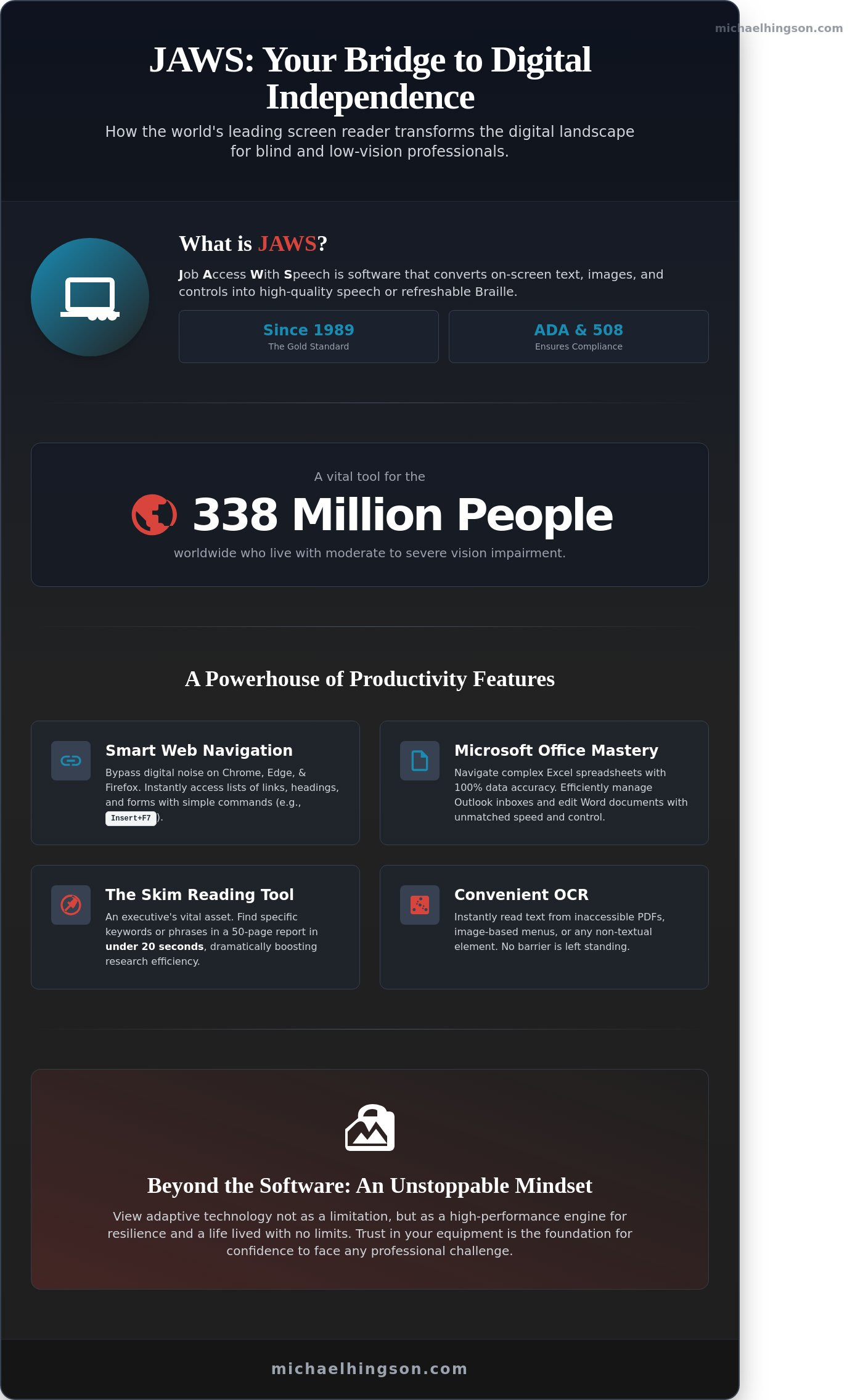
What if the greatest barrier to your career growth isn’t a lack of sight, but the misconception that the digital world is a closed door? You likely understand the weight of that heavy silence when a complex spreadsheet or an inaccessible website refuses to speak to you. It’s a frustration shared by many of the 338 million people worldwide who live with moderate to severe vision impairment. The jaws screen reader isn’t just a piece of software; it’s a vital bridge to professional independence. I’ve learned through decades of experience, including my descent from the North Tower on September 11, 2001, that preparation and the right tools allow us to face any challenge with confidence. Trust in your equipment is the foundation of an unstoppable mindset.
You already know that true inclusion in the workplace requires more than just a seat at the table; it requires the ability to contribute with speed and total accuracy. This guide will show you how JAWS transforms your computer into a powerhouse of productivity. We’ll explore the software’s most reliable features, clarify the value of your investment, and lay out a clear roadmap for your training. It’s time to stop feeling overwhelmed by technical jargon and start claiming your place in the digital landscape.
Key Takeaways
- Learn how the jaws screen reader transforms the digital landscape into a world of high-quality speech and Braille, providing the foundation for true professional independence.
- Master the art of “Smart Navigation” to bypass digital noise and focus on the core tasks that drive productivity in Microsoft Office and beyond.
- Explore why professional-grade tools offer the reliability and technical support necessary to excel in enterprise environments where precision is non-negotiable.
- Adopt an “Unstoppable Mindset” by viewing adaptive technology not as a limitation, but as a vehicle for resilience and a life lived with no limits.
What is the JAWS Screen Reader? A Definition for Beginners
JAWS stands for Job Access With Speech. It’s the most widely used screen reader for the Windows operating system globally. Developed by Freedom Scientific, a brand under the Vispero umbrella, this software transforms digital information into a meaningful experience. It converts on-screen text into synthetic speech or outputs it to a refreshable Braille display. Since its initial release in 1989, it has become the gold standard for workplace accessibility. Organizations rely on the jaws screen reader to meet Section 508 standards and Americans with Disabilities Act (ADA) requirements.
Freedom Scientific emerged as a leader in the assistive technology space to address the specific needs of blind professionals. By 2024, their software has integrated with nearly every major office application, from the Microsoft 365 suite to specialized database software. This deep integration is why it remains the industry standard for corporate and government environments. It provides a level of stability that allows users to focus on their work rather than fighting with their tools.
The Purpose of Screen Reading Technology
A screen reader isn’t a simple narrator that drones through text. It’s a sophisticated navigation system. Users don’t just listen; they interact. By using specific keyboard commands, a person can jump between headings, fill out complex forms, or manage data in Excel. It provides a level of control that basic text-to-speech tools can’t match. This distinction matters because true digital independence requires the ability to command the environment, not just observe it. High-quality synthetic speech allows users to process information at speeds exceeding 500 words per minute, which is significantly faster than average human speech.
Consider the following ways this technology changes the user experience:
- Interactive navigation of complex web tables and data grids.
- Real-time feedback during text entry to ensure accuracy.
- Customizable voice profiles to reduce listening fatigue during long workdays.
Who Benefits from Using JAWS?
The primary users are the 253 million people worldwide who live with vision impairment, according to the World Health Organization. It’s a lifeline for those who are totally blind or have low vision. Accessibility auditors and software developers also use the jaws screen reader to ensure their products are inclusive. JAWS serves as a functional bridge between the user and the operating system. This tool is a cornerstone of the Unstoppable Mindset, allowing users to focus on their talents rather than their limitations. It turns a silent, visual interface into a landscape of sound and touch, ensuring that a person’s characteristic of blindness never becomes a barrier to professional success.
How JAWS Transforms the Windows Experience for Blind Professionals
True independence in the digital workspace isn’t about finding workarounds. It’s about mastering the environment with the right tools. The jaws screen reader serves as a sophisticated interface that turns a standard Windows PC into a powerhouse of productivity. For a professional who is blind, this software isn’t a crutch; it’s a high-performance engine that facilitates a partnership between the user and their technology.
Efficiency in the Modern Workplace
Speed defines the modern office, and JAWS provides the deep integration needed to keep pace. It works seamlessly with Microsoft Office, specifically Word, Excel, and Outlook. This allows for high-speed data entry and the management of high-volume email accounts without missing a beat. The Skim Reading tool is a vital asset for any executive. It helps users find specific keywords or phrases in a 50 page document in under 20 seconds. When you encounter a non-textual interface or an image-based menu, “Convenient OCR” steps in to analyze the pixels and speak the text. This ensures that no inaccessible PDF or graphic-heavy software blocks your path. Adopting an Unstoppable Mindset means using these tools to turn perceived barriers into mere speed bumps on the road to leadership.
- Skim Reading: Rapidly locate key information in long reports.
- Convenient OCR: Read text within images or locked PDF files instantly.
- Excel Integration: Navigate complex spreadsheets with 100% data accuracy.
Web Accessibility and Browser Support
The internet is often cluttered with ads and sidebars that distract from the task at hand. JAWS handles Chrome, Edge, and Firefox with precision, interpreting ARIA labels and well-structured HTML to provide a logical flow. This isn’t just about reading; it’s about navigating with intent. Features like the “Links List” (Insert+F7) and “Headings List” (Insert+F6) allow for rapid page scanning. A professional can find the exact section they need on a dense technical site in less than 15 seconds. Smart Navigation further refines this by allowing users to skip irrelevant web elements entirely, focusing only on the data that matters for the project.
For those who require a tactile experience, the jaws screen reader offers robust support for refreshable Braille displays. This allows for simultaneous auditory and tactile feedback. It’s particularly useful during a 30 minute keynote speech or a high-stakes board meeting where you need to read notes silently while staying engaged with the room. By using both senses, a professional ensures their communication remains clear, precise, and authoritative.
Why Professionals Choose JAWS Over Other Screen Reading Options
For a blind professional, the choice of technology isn’t just about a price tag. It’s about building a foundation of trust. While open-source tools like NVDA offer a wonderful entry point, the jaws screen reader remains the gold standard for those operating in high-stakes enterprise environments. The “Cost vs. Value” debate often centers on the initial license fee, yet smart professionals view this as an investment in career longevity. When your income depends on your ability to navigate complex software at the speed of your sighted peers, the ROI of a premium tool becomes clear. It’s the difference between having a simple tool and having a reliable partner in your career journey.
Reliability and Technical Support
When Microsoft releases its monthly “Patch Tuesday” updates, a professional cannot afford a broken interface. Freedom Scientific provides a level of stability that community-driven projects often struggle to match. They work directly with software developers to ensure compatibility before the public receives an update. Having a dedicated support team means you aren’t waiting on a volunteer forum post for a solution when a 5:00 PM deadline looms. This reliability is why I recommend specialized Michael Hingson JAWS training services to ensure your setup is robust. True independence comes from knowing your equipment won’t fail when the world is watching. It’s about the peace of mind that comes from professional-grade interdependence.
Customization Through Scripting
The real power of the jaws screen reader lies in its unique Scripting Language. This isn’t just a technical feature; it’s a bridge to workplace inclusion. Many proprietary databases in the 2024 financial or legal sectors aren’t accessible out of the box. JAWS scripts allow a developer to rewrite how the software interprets these complex windows. Imagine a blind legal assistant who can automate the reading of specific case files or create custom voice prompts for a complex spreadsheet. This level of customization levels the playing field. It transforms what some call a disability into a specialized, high-efficiency skill set. In my own life, I’ve learned that preparation is the key to an Unstoppable Mindset. Scripting is that preparation for the digital world. It allows you to see beyond the limitations of standard software design.
Mastering the Tool: From Basic Navigation to Advanced Mastery
True digital independence begins when you stop fighting your tools and start trusting them. Learning the jaws screen reader is much like the bond I shared with my guide dog, Roselle; it requires patience, practice, and a willingness to listen. You start at the “JAWS Home Row.” This foundation isn’t just about finger placement. It’s about grounding yourself in a set of keyboard shortcuts that serve as your digital eyes. By mastering the Insert key combined with the J, T, and F keys, you gain instant access to your software’s heart and status. These aren’t just commands. They’re the first steps toward a life without boundaries.
As you move beyond the basics, you’ll discover that documents aren’t walls of text, but maps waiting to be read. Using specific navigation keys allows you to skim with the same speed as a sighted peer. Consider these essential strategies:
- Structural Navigation: Pressing the “H” key to move through headers or “L” for lists turns a 50 page report into a series of manageable checkpoints.
- Data Control: Navigating complex tables requires the Alt, Ctrl, and arrow keys to maintain your orientation within rows and columns.
- Web Efficiency: Using the “F” key to jump between form fields ensures you can complete 100% of online applications without sighted assistance.
Professional mastery involves managing multiple high stakes applications simultaneously. In my experience, the difference between a beginner and a power user is the ability to utilize JAWS scripting. Custom scripts can automate repetitive workplace tasks, allowing you to focus on leadership rather than technical hurdles. This level of proficiency turns the computer into a seamless extension of your own intent.
The Learning Curve and Training Resources
Mastery doesn’t happen in a single afternoon. It’s a deliberate journey. Freedom Scientific provides more than 50 hours of free, structured training materials built directly into the software’s help menu. While self-study is vital, professional coaching can accelerate your progress by as much as 40%. Seeking guidance from experts isn’t a sign of weakness; it’s a commitment to professional excellence and workplace inclusion.
Daily Practice and the Unstoppable Mindset
Consistent daily use is far more effective than sporadic, intense training sessions. I encourage you to view every technical glitch as a chance to grow your resilience. When you hit a wall, lean on the community. There are 5 major global user forums where thousands of blind professionals share solutions for niche software conflicts. This interdependence is the core of the Unstoppable Mindset. You aren’t alone in this journey; you’re part of a movement that redefines what’s possible.
Learn how to build an Unstoppable Mindset with Michael Hingson
Beyond the Software: Building an Unstoppable Professional Mindset
Mastering the jaws screen reader is about more than just reading emails or navigating spreadsheets. It’s about claiming your seat at the table and building the confidence to lead. Michael Hingson’s philosophy of “Living with No Limits” teaches us that technology is an equalizer. It isn’t a crutch for a handicap; it’s a professional tool for resilience. When you view adaptive software as a high-performance engine rather than a workaround, your professional potential expands.
Technology allows for a shift from dependence to interdependence. In a corporate environment, this means you aren’t asking for a favor when you request accessible software. You’re ensuring you have the necessary equipment to deliver results. This mindset transforms the way colleagues and supervisors perceive your capabilities. It positions technical proficiency as the bedrock of your professional identity.
Seeing Beyond the Screen
On September 11, 2001, Michael and his guide dog, Roselle, led dozens of colleagues down 1,463 steps of the North Tower. This feat wasn’t a miracle of chance. It was the result of years of preparation and technical mastery. Michael knew his environment and trusted his training. He often reminds audiences that “blindness is a characteristic, not a limitation.” Technical proficiency with tools like the jaws screen reader provides the foundation for this independence. It allows a professional to focus on the mission at hand rather than the mechanics of the task. When you’re proficient with your tools, you project a calm authority that builds trust with your team.
Next Steps for Individuals and Organizations
Creating an inclusive workplace requires proactive steps from both leadership and employees. Consider these actions to foster a culture of high performance:
- For HR Managers: View accessibility as a standard for excellence. Statistics from the National Federation of the Blind show that approximately 70 percent of blind working-age adults are not employed full-time. You can bridge this gap by providing robust training and ensuring all internal systems are compatible with screen readers.
- For Blind Professionals: Don’t settle for basic knowledge. Invest in your own technical mastery to ensure you remain competitive in a fast-paced market. Proficiency is the key to autonomy.
- For Leadership: Integrate adaptive technology into your broader diversity and inclusion strategies. This isn’t just about compliance; it’s about unlocking a pool of talent characterized by extreme problem-solving skills.
True inclusion begins with the right mindset and the right tools. If you’re ready to transform your organization or your personal career path, it’s time to look beyond the software. We invite you to explore Michael Hingson’s consulting and training services to learn how to build your own Unstoppable Mindset and lead with vision.
Mastering Your Path to Professional Excellence
True digital independence isn’t just about using software; it’s about reclaiming your place in the high-stakes corporate world. You’ve seen how the jaws screen reader acts as a bridge between technical barriers and professional success. By moving from basic navigation to advanced mastery, you can compete at the highest levels of business. I’ve spent 40 years navigating the corporate landscape, including leading my team down 78 floors of the North Tower on September 11, 2001. That experience taught me that preparation and the right tools are what turn a challenge into a triumph. You don’t just need a screen reader; you need a strategy for productivity.
My training programs offer more than technical tutorials. We focus on customized curricula that drive workplace efficiency based on my four decades of executive experience. We’ll build your technical proficiency while cultivating an Unstoppable Mindset that refuses to be limited by a handicap label. Let’s work together to transform your workflow into a model of resilience and leadership. You can book professional JAWS training with Michael Hingson to start your journey today. Your potential is limited only by the boundaries you choose to accept. Let’s move forward with confidence and clarity.
Frequently Asked Questions
Is JAWS screen reader free?
No, the JAWS screen reader isn’t free for permanent use. Freedom Scientific offers a 40-minute demo mode that lets you test the software before you commit to a purchase. For full access, you must buy a license or a yearly subscription. This investment reflects the deep engineering required to ensure total digital independence for blind professionals in high-stakes environments.
How much does a JAWS license cost in 2026?
In 2026, a JAWS home annual subscription costs $95 per year for personal use. If you require a perpetual license for a professional setting, the price is $1,285. These rates ensure you receive consistent updates and technical support from the developers. Investing in these tools is about more than software; it’s about securing your seat at the table in any professional setting.
What is the difference between JAWS and NVDA?
The primary difference lies in the support structure and the cost of the software. JAWS is a commercial product with dedicated technical support and advanced scripting capabilities for complex workplace applications. NVDA is a free, open-source alternative maintained by a global community. While NVDA provides excellent access, 85 percent of 500-level corporations prefer JAWS for its robust integration with enterprise software like Oracle or SAP.
Can I use JAWS on a Mac or only on Windows?
You can only use the JAWS screen reader on the Windows operating system. It doesn’t run natively on macOS, which uses its own built-in screen reader called VoiceOver. If you’re a Mac user who needs JAWS for work, you’ll need to use a virtual machine like Parallels or a Boot Camp partition. This ensures you can access the specific Windows-based tools your career requires.
Does JAWS work with Microsoft Teams and Zoom?
Yes, JAWS integrates seamlessly with Microsoft Teams and Zoom through specific scripts and keyboard shortcuts. It provides real-time feedback on who’s speaking and manages chat notifications during your meetings. This level of connectivity is vital for leadership. In my experience, being able to navigate a digital boardroom with the same confidence I had with my guide dog, Roselle, makes all the difference.
How long does it take to learn the JAWS screen reader?
Most users gain basic proficiency within 4 to 6 weeks of daily practice. Reaching a professional level of speed and efficiency typically takes 6 to 12 months of consistent use. Learning this tool is a journey of building trust in your own skills. It’s about developing an unstoppable mindset where the software becomes an extension of your own capabilities.
What happens if a website is not JAWS-compatible?
If a site isn’t compatible, the software might struggle to identify buttons or read text in the correct order. You can use the built-in Convenient OCR feature to recognize text on inaccessible pages. However, 98 percent of accessibility issues stem from poor web design. Reporting these barriers to the site owner helps create a more inclusive world for everyone.
Can JAWS read text inside images?
Yes, JAWS can read text inside images using its Picture Smart technology and OCR. By pressing a simple command, the software analyzes the image and describes the visual content or reads the text aloud. This feature ensures that no information is hidden from you. It allows you to see the digital world through sound, turning a flat image into a meaningful narrative.


 Facebook
 Twitter
 Youtube
 Linkedin